




Embark on a hilarious journey through the chaotic world of DIY computer upgrades, where good intentions often collide with tangled wires, incompatible parts, and manual mysteries. This lively narrative reveals that even seasoned enthusiasts face slips—dropping screws, installing RAM upside down, or wrestling with outdated guides—yet these mishaps become the most memorable stories. As hardware rapidly evolves, compatibility issues and rapid release cycles turn straightforward tasks into unpredictable puzzles, demanding patience, planning, and resilience. But amid the chaos, humor and growth flourish; each challenge teaches troubleshooting skills and builds confidence. Are you ready to navigate this wild landscape, embracing the mess as part of the adventure? With careful preparation and a sense of humor, upgrading your system transforms from a stressful chore into a rewarding journey of mastery and laughter. Dive into the unpredictable, and discover how chaos can become your greatest teacher.
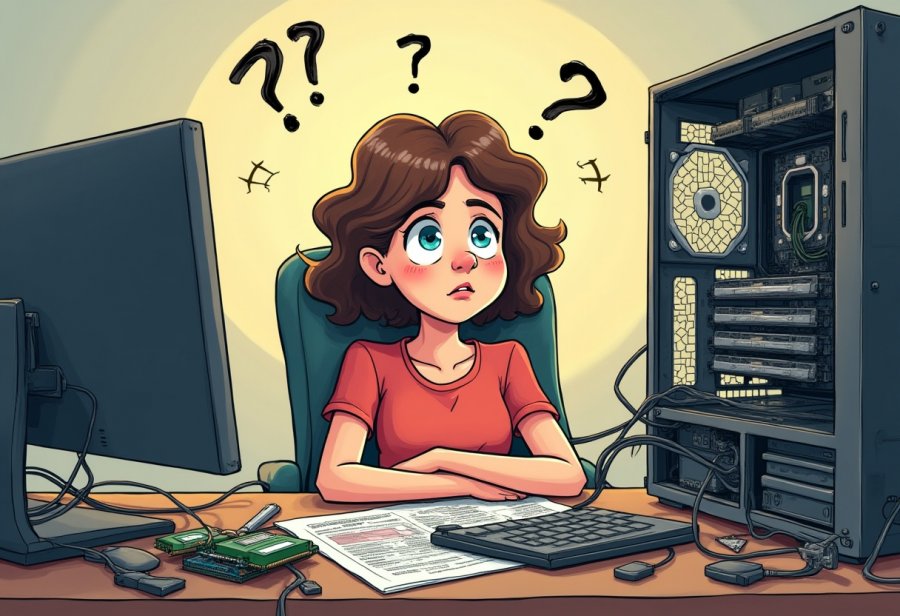
Embrace the Hilarious Chaos of DIY Computer Upgrades
Upgrading your computer on your own can feel like stepping into a comedy sketch. You start with good intentions—dreaming of faster speeds, more storage, or that shiny new graphics card—but as soon as you open the case, things quickly spiral into chaos. Cables twist into spaghetti, manuals seem written in a language only a few understand, and tools suddenly become elusive. It’s as if your straightforward upgrade has turned into an episode of hardware hijinks.
There’s something inherently humorous about the messy reality of DIY upgrades. Despite your neat plans, things rarely go as smoothly as the tutorials promise. Instead, you find yourself tangled in wires, battling incompatible parts, or dropping tiny screws into the depths of your case. Even seasoned tech enthusiasts have their moments of hardware mishaps—installing RAM upside down, knocking over a bottle of thermal paste, or unplugging the wrong cable. These mishaps may seem disastrous at the moment, but they often become the funniest stories later on.
What makes this chaos so relatable is the unpredictability of hardware upgrades. Compatibility issues crop up out of nowhere, and suddenly, that new component refuses to work. Manuals are outdated or hard to follow, and online guides can be confusing if your hardware isn’t an exact match. It’s a reminder that, no matter how prepared you are, surprises are part of the process. This unpredictability turns what should be a simple swap into a test of patience—and a lot of laughter.
Despite the frustrations, many find humor in the mess. The tangled cables, the dropped screws, the moment of panic when a system won’t boot—these become stories worth sharing. It’s in these moments that you realize the chaos is part of the experience. Even the most confident DIYers face setbacks, and those challenges often lead to the funniest, most memorable moments. It’s a reminder that, in the end, the process is just as important as the final upgrade.
Embracing the chaos means accepting that perfection isn’t the goal—enjoying the process and finding humor in the mishaps makes the whole journey worthwhile. Every tangled wire, misstep, or dropped screw adds to your story and builds your confidence. It’s about learning to laugh through the frustrations and appreciating that chaos is simply part of becoming a more skilled DIY builder. After all, some of the best tech stories start with a spark of chaos.
In the end, upgrading your computer yourself isn’t just about boosting performance. It’s about embracing the unpredictable, learning from mistakes, and enjoying the ride. Those moments of chaos—whether it’s a cable disaster or a hardware hiccup—become part of the adventure. They remind us that even in the mess, there’s room for humor and growth. So grab your tools, take a deep breath, and remember: every misstep brings you closer to mastering the art of DIY upgrades—and maybe even having a few laughs along the way.
Tracing the Roots of Tech Upgrade Frustrations
The chaos in DIY tech upgrades runs deep, rooted in how rapidly computer hardware has evolved over the years. Once, upgrading a PC was straightforward—swap out a part, and you were done. Today, each new generation brings a host of compatibility issues, making what used to be simple into a complex puzzle. The rapid pace of innovation means that hardware standards shift quickly, leaving yesterday’s compatible parts obsolete and forcing builders to constantly adapt. It’s like trying to fit a square peg into a moving target, where what worked last year might no longer fit today.
Manufacturers add to the confusion with their patchwork of standards. Each brand often has its own socket types, pin configurations, and firmware quirks, turning a straightforward upgrade into a game of compatibility roulette. You might think your shiny new graphics card will slide right in, only to find it doesn’t quite fit or causes stability issues. It’s a constant guessing game, trying to match parts that may seem compatible on paper but don’t cooperate in practice. This fragmented landscape makes troubleshooting a routine part of the upgrade process.
The culture of DIY tech enthusiasts also fuels the chaos. Many love pushing hardware beyond its intended limits—overclocking, customizing RGB lighting, or experimenting with cutting-edge components. While this spirit drives innovation, it also opens the door to mishaps. Overclocking can cause crashes, and rushing into a build without thorough research increases the chances of tangled cables, dropped screws, or incompatible parts. The drive to be on the bleeding edge often means facing unforeseen problems, turning what should be a simple upgrade into a series of unpredictable hurdles.
Online manuals and tutorials are meant to guide, but they’re often outdated or overly generic. Following step-by-step instructions can help until you realize your hardware or case setup isn’t exactly the same as the guide. This mismatch forces you to improvise, which often leads to tangled wires, miswired connections, or overlooked steps. The lack of universal standards means every upgrade feels like solving a custom puzzle, where each piece must be carefully tested and adjusted.
Finally, the relentless release cycle of new hardware keeps everyone chasing the latest and greatest. Just when you finish installing a component, a faster GPU or CPU might hit the market, rendering your upgrade temporarily obsolete. This constant churn encourages experimentation but also means more troubleshooting—driver conflicts, BIOS updates, or hardware incompatibilities. The never-ending race to keep up adds a layer of complexity and humor to the DIY process, where every upgrade is a new adventure in chaos.

Navigating the Complex Modern Landscape of Hardware Upgrades
Today’s hardware landscape is more advanced and diverse than ever, making DIY upgrades both exciting and a bit chaotic. Modern components like high-refresh-rate monitors, NVMe SSDs, and multi-GPU setups push system performance to new heights, but they also introduce a host of compatibility considerations. Installing a new graphics card or SSD now often involves BIOS updates, firmware tweaks, and troubleshooting driver conflicts—steps that weren’t as common a decade ago. The rapid pace of innovation keeps the upgrade process feeling like chasing a moving target, where each new piece of hardware might trigger a new set of hurdles.
While hardware has become more powerful and user-friendly, the actual process of upgrading remains a blend of careful planning and trial-and-error. Enthusiasts eagerly follow the latest releases, hoping to snag the newest features or performance gains. Yet surprises happen—your shiny new GPU might barely fit in your case, or your motherboard may need a BIOS update before recognizing a new CPU. These unforeseen issues often turn what should be a straightforward swap into a mini project requiring patience and troubleshooting, rather than a simple plug-and-play operation.
The trend toward small form factor builds adds another layer of complexity. Fitting high-end hardware into tiny cases demands meticulous planning and precise cable management. These compact setups look impressive when completed, but even small missteps—like poor airflow or a misaligned cable—can cause overheating or hardware conflicts. While these builds showcase customization at its finest, they also demand more delicate handling, making upgrades more challenging and, inevitably, more chaotic.
New standards like PCIe 4.0 and DDR5 RAM have expanded what hardware can do, but they also create compatibility headaches. Not every motherboard supports these standards out of the box, often requiring BIOS updates or hardware swaps. Upgrading one component can ripple into the need for others, turning an upgrade into a jigsaw puzzle where balancing performance and stability becomes a daily challenge. It’s a dance of trying to optimize without pushing your system into instability.
The rapid release cycle keeps everyone on their toes. Just after finishing a build, a faster GPU or a newer CPU hits the market, making your upgrade feel temporary. This constant churn fuels a culture of experimentation but also invites more troubleshooting—driver conflicts, firmware bugs, BIOS issues—all of which add to the chaos. Every new upgrade becomes a balancing act between cutting-edge performance and system stability, often requiring patience and persistence.
Software updates and driver management further complicate the scene. While tools for diagnosing and updating drivers have improved, conflicts still pop up unexpectedly. A BIOS update might fix one problem but create another, or a driver clash could cause crashes. Navigating these issues demands a willingness to learn and adapt, turning what seems like a simple upgrade into a puzzle that tests your troubleshooting skills and patience.
Despite the chaos, the landscape of DIY upgrades continues to evolve positively. Modular components and standardized connectors make installations easier, and new diagnostic tools help streamline troubleshooting. Still, the core experience remains a mix of frustration and fun—each upgrade a new adventure filled with surprises. Embracing this dynamic environment keeps the scene lively, proving that even in the chaos, there’s always something new to learn, explore, and laugh about.
Mastering Strategies for Smooth and Confident Upgrades
To ensure a smooth and successful upgrade, start by creating an organized workspace. Clear a flat, clutter-free surface where you can lay out your tools, manuals, and components without feeling overwhelmed. Having everything within arm’s reach—screwdrivers, anti-static wristbands, cable ties—prevents frantic searches and reduces the risk of mistakes. When your tools and parts are neatly arranged, you can focus on the task at hand rather than getting sidetracked by missing screws or tangled cables.
Next, plan each step carefully before you begin. Double-check compatibility for every component—whether it’s your motherboard, RAM, GPU, or power supply. Updating your BIOS or firmware ahead of time can save hours of troubleshooting later. Watching tailored tutorials or reading specific guides for your hardware helps you anticipate potential issues. A clear plan minimizes chaos, helping you avoid rushed decisions that could lead to hardware damage or compatibility problems.
Patience is key during every phase of the upgrade. Rushing often causes mistakes like bent pins, misaligned parts, or stripped screws. Take your time with each step, moving deliberately and verifying connections as you go. A measured approach not only protects your hardware but also keeps the process more manageable. Remember, rushing to finish quickly can backfire, turning a straightforward upgrade into a frustrating and time-consuming ordeal.
Adopt a troubleshooting mindset from the start. Expect hiccups—hardware might not fit perfectly, or BIOS updates might be necessary. When issues arise, pause and assess calmly. Recheck connections, consult online forums, or review manuals. Often, a simple reseat or driver update resolves the problem swiftly. Viewing setbacks as learning opportunities keeps frustration in check and builds your confidence, making each subsequent upgrade smoother.
Finally, document your progress along the way. Take photos of your setup before you start, jot down any tweaks or settings you adjust, and keep notes of what works and what doesn’t. This habit turns chaos into clarity, serving as a helpful reference for future upgrades. It also helps you recognize patterns in what causes problems, so you can avoid repeating mistakes. With a bit of preparation, patience, and a systematic approach, you’ll find that even the most chaotic upgrade can become a rewarding, almost enjoyable, challenge.
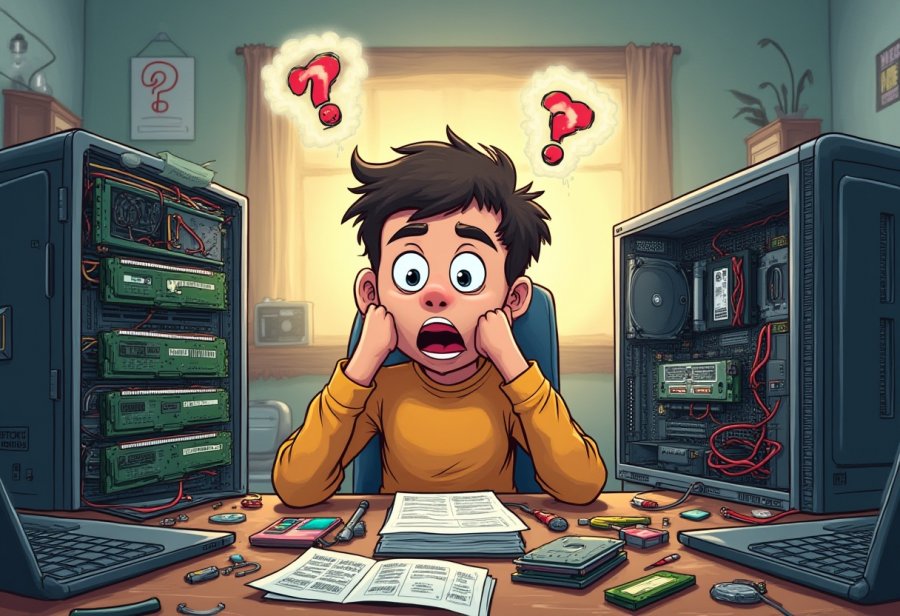
Lessons Learned from the Joyful, Messy World of DIY PC Building
DIY computer upgrades are a rollercoaster of surprises, frustrations, and plenty of humor. One of the clearest lessons is that rushing almost always leads to tangled cables, miswired components, or even damaged hardware. Taking your time, double-checking connections, and following each step carefully can save hours of troubleshooting and prevent costly mistakes. When you approach the process with patience, the chaos becomes manageable, and the experience less overwhelming.
A funny aspect of these projects is how small mistakes turn into legendary stories. Dropping a screw into the case’s depths, installing RAM upside down, or unplugging the wrong cable might seem disastrous at the moment, but they often become the anecdotes everyone shares later. These mishaps remind us that no upgrade is perfect on the first try. They’re proof that even seasoned DIYers face hardware fails—sometimes hilarious, sometimes frustrating, but always memorable.
Troubleshooting skills improve with each attempt. What initially feels like chaos gradually turns into organized chaos, as you recognize common issues—like incompatible parts or BIOS glitches—and learn how to fix them without losing your mind. Over time, you develop a sense of humor about the mess, seeing setbacks as part of the learning journey rather than failures. Every problem overcome boosts your confidence, making future upgrades feel less daunting.
Preparation is key. An organized workspace, clear documentation, and a good understanding of your hardware can make all the difference. When you’re well-prepared, even a chaotic upgrade feels more controlled. It’s about turning frustration into curiosity, viewing each hiccup as an opportunity to learn something new. This mindset transforms the chaos from a source of stress into a catalyst for growth.
The chaos also teaches resilience. Each mistake or setback is a reminder that progress often involves trial and error. Embracing this reality helps you stay calm and adaptable, turning problems into puzzles waiting to be solved. Overcoming these hurdles not only improves your technical skills but also builds patience and perseverance—traits that serve you well beyond the computer case.
Most importantly, these experiences foster confidence. After surviving a spaghetti cable disaster or a BIOS mishap, you start to see yourself as a capable DIY builder. The chaos becomes less intimidating, replaced by a sense of achievement. Every successful upgrade, no matter how messy, proves that you can handle challenges and learn from them.
In the end, the chaos of DIY upgrades isn’t just a series of technical hurdles—it’s a collection of stories, lessons, and laughs. It’s about embracing the imperfections, finding humor in the mishaps, and appreciating how each mistake makes you more skilled and resilient. These adventures turn what could be a stressful task into a memorable journey of growth, humor, and achievement.